Installing the Extension
Prerequisites
You must have the latest version of Cycle installed on your machine for the Cycle Testing VS Code Extension to work fully. All features except basic syntax highlighting rely on Cycle's tooling. Newer features may not work with older versions of Cycle.
You must also have the latest version of VS Code installed on your machine. You can download and install VS Code from the VS Code Download page.
Installing the extension
Install the Cycle Testing VS Code Extension directly through VS Code.
- Open VS Code.
- Click the Manage icon at the bottom of the left sidebar.
- Select Extensions.
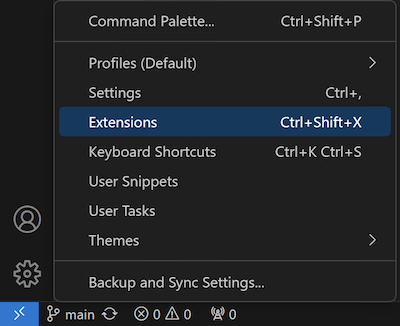
The Extensions pane appears on the left.
- Enter the name
Cycle Testingin the search bar. - Open the Cycle Testing extension from the search results.
- Confirm the extension has the Cycle Labs logo and that the publisher name is Cycle Labs.
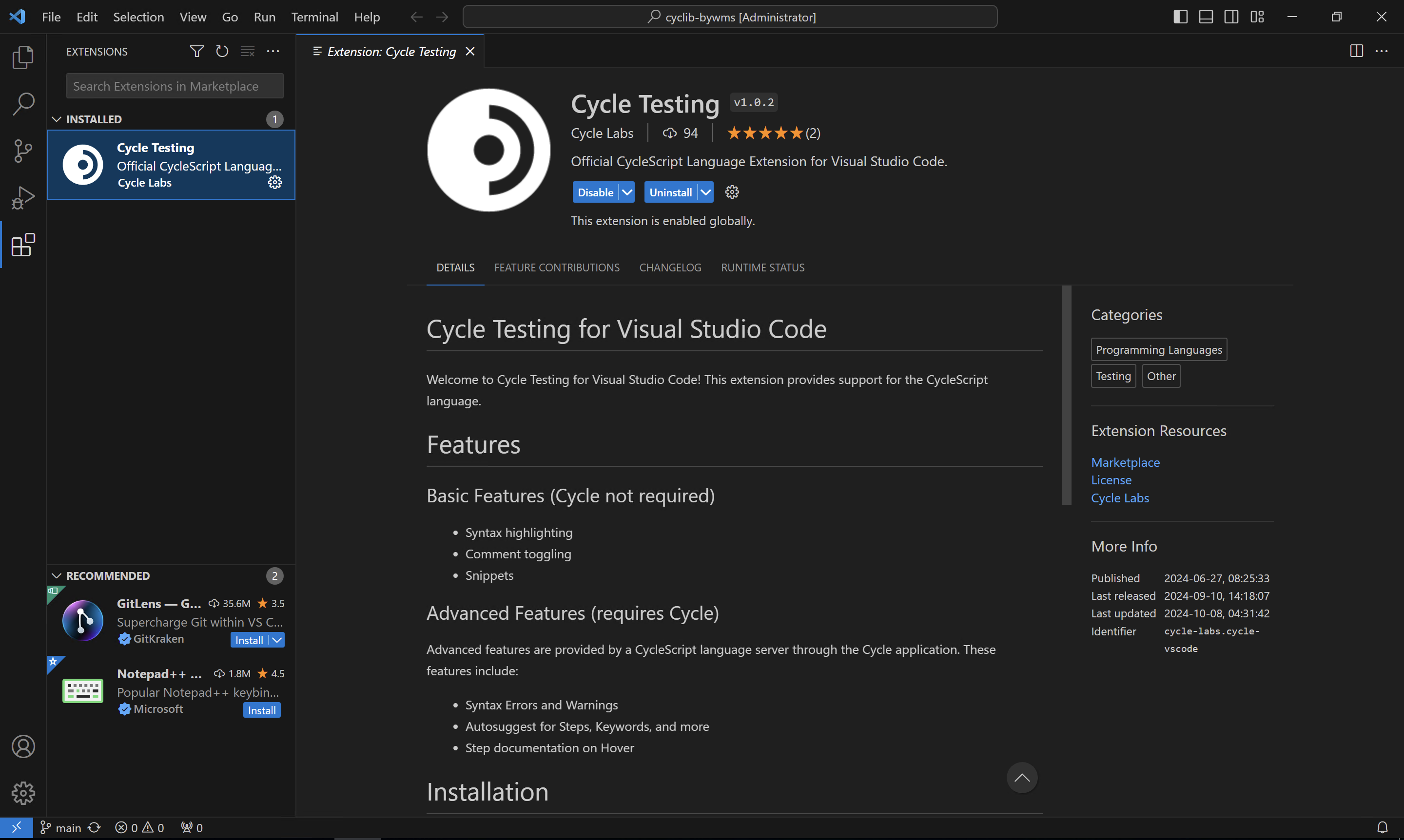
- Click Install.
VS Code may need to be restarted after installing the extension.