Syntax Highlighting
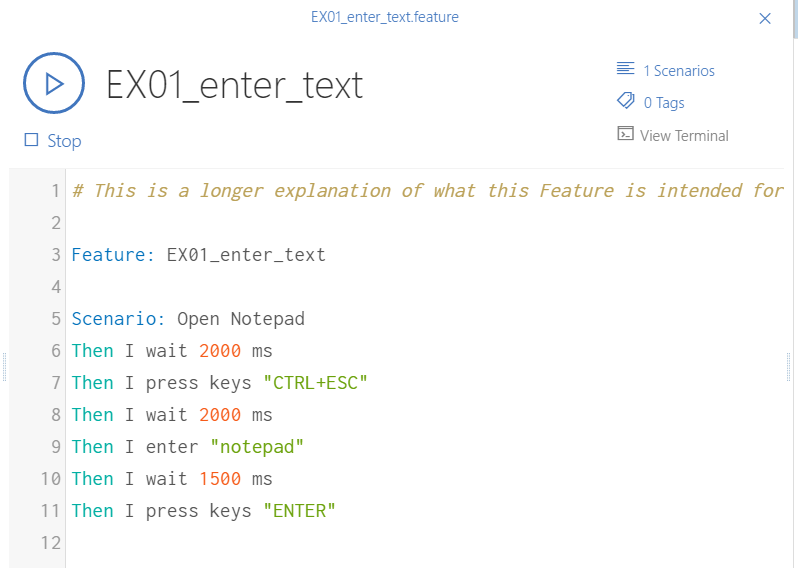
The Cycle Feature File editor includes syntax highlighting. Recognized text appears in different colors depending on its role.
For example, the Feature and Scenario keywords appear in a darker blue "frost" color, step keywords appear in a lighter blue "surf" color, and strings of text in quotes are lime-colored. This coloring helps keep the elements of a Feature File clearly organized.
Text types in the Cycle Editor
- Coconut.
#Comment

- Frost.
"Feature"or"Scenario"keywords

- Surf.
Step keywords

- Lime.
"string of text"

- Grapefruit.
@tag

- Berry.
<Step Argument>

- Tangerine.
number

- Passionfruit.
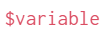
$variable
- In context:
Syntax error highlighting
The Cycle Feature File editor displays a wavy red underline under any step that is unknown or contains a syntax error. A red X icon also appears before the row number of any line with an error. When the step is corrected, the underline and red X are removed.
