Auto-Complete
The Cycle Feature File editor includes auto-complete.
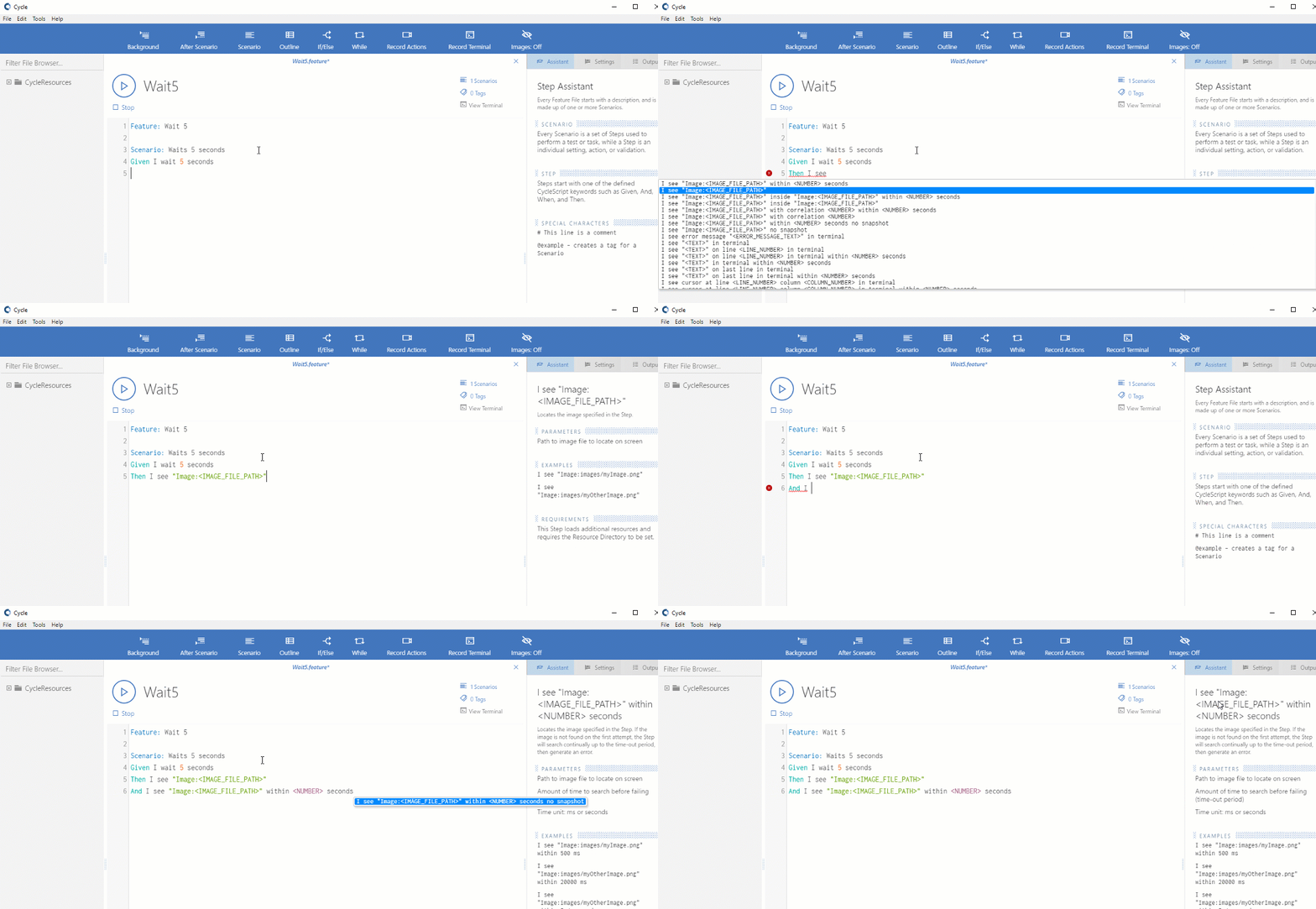
As you enter a new step in the editor, auto-complete displays a drop-down window containing all the steps that match the step syntax you have entered so far.
Highlight a step from the drop-down list by pressing the down arrow or by clicking the step with the mouse.
After highlighting a step, press ENTER to select that step.