Answering project questions
Answering questions is the core activity in Intelligent Discovery. The application guides you through a structured two-phase process: first completing orientation questions, then exploring detailed functional areas.
Two-Phase Process
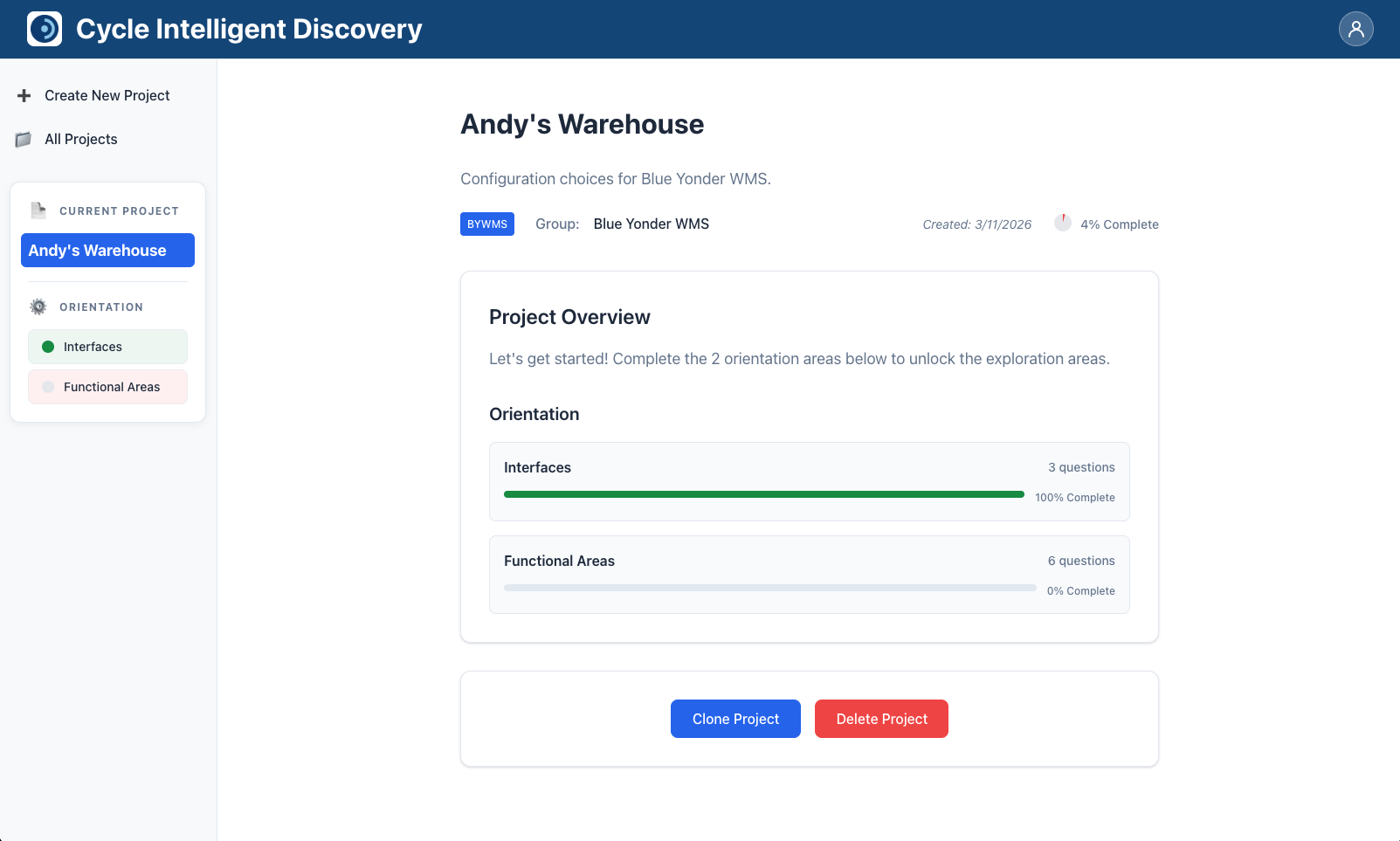
Phase 1: Orientation
Orientation questions establish the foundation of your configuration. These questions cover fundamental aspects such as:
- Interfaces: How users interact with the system (web application, RF terminals, mobile web terminals)
- Functional Areas: Basic operations performed in the system
You must complete all orientation questions before the exploration areas become available.
Phase 2: Exploration
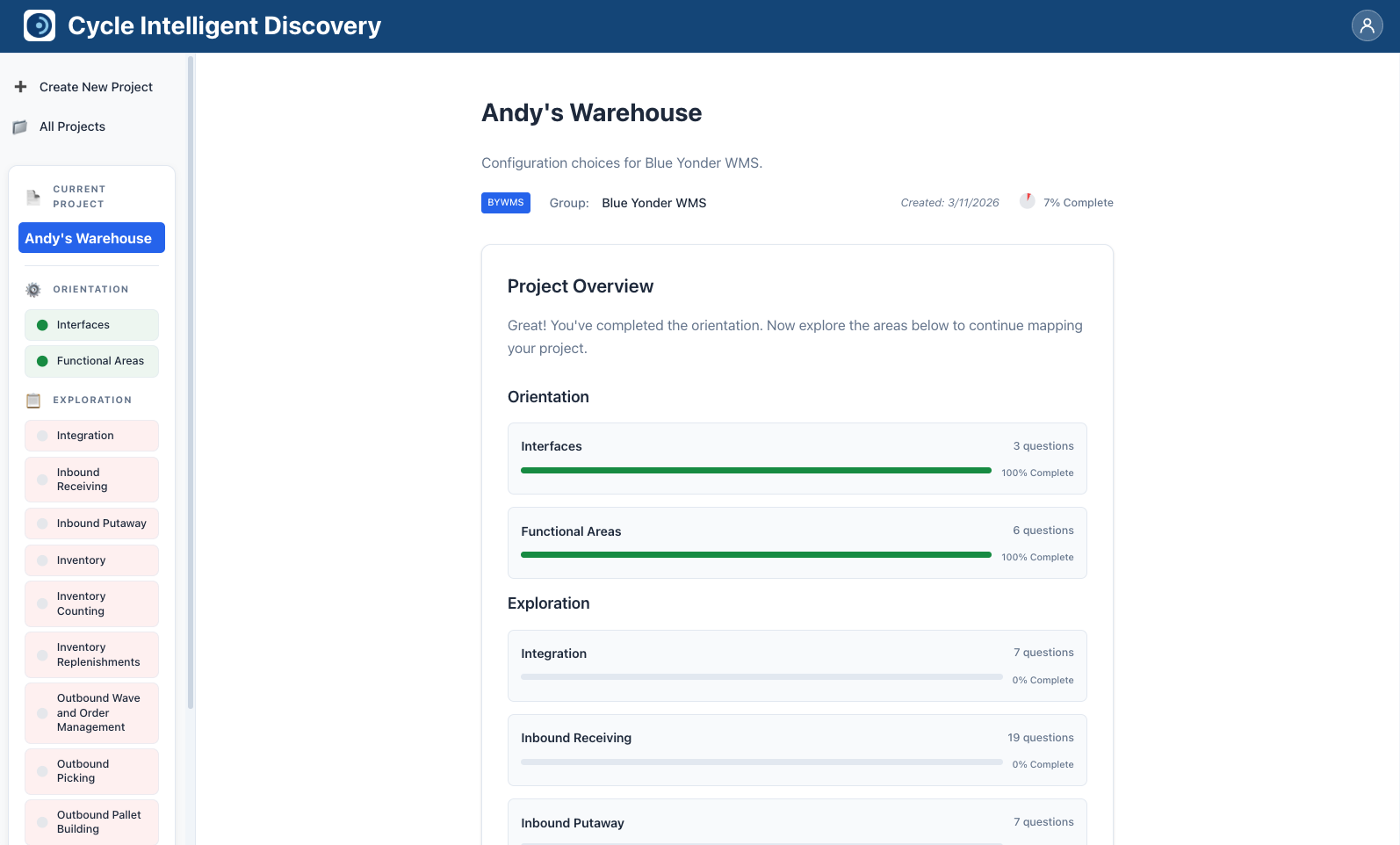
Once all orientation questions are answered, exploration areas unlock. These areas contain detailed questions about specific functional capabilities and configurations within your system.
Exploration areas may include topics such as receiving, shipping, inventory management, and other specialized functions.
Answering Questions
To answer questions in an area:
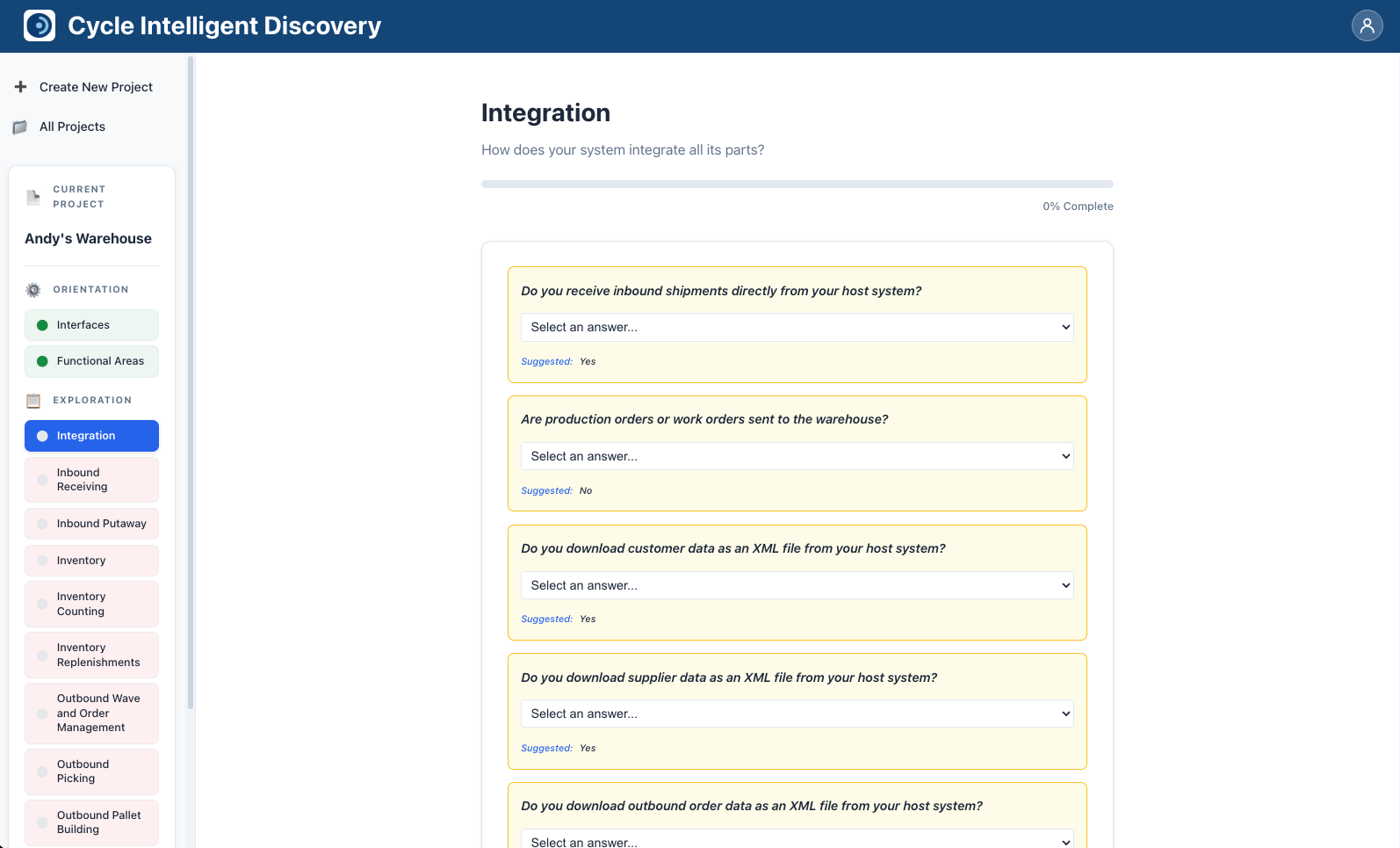
- Click on an area card from the project overview page to open that area's question page.
-
For each question, select your answer from the available choices. Some questions may allow:
- Single-select answers (radio buttons)
- Multi-select answers (checkboxes)
- Text input for custom answers
-
Your answers are automatically saved as you make selections. You don't need to click a "Save" button.
-
The area's completion percentage updates in real time as you answer questions (see Progress Tracking below for how completion is displayed).
-
When you've answered all applicable questions in an area, you can navigate to other areas using the navigation controls or return to the project overview.
Auto-Save Functionality
All answers are automatically saved as you make selections. This means:
- You don't need to manually save your work
- Your progress is preserved if you navigate away or close your browser
- You can return to your project later and continue where you left off
If there's an error saving an answer, you'll see an error message, and you may need to try answering the question again.
Progress Tracking
Intelligent Discovery provides multiple ways to track your progress:
Overall Completion
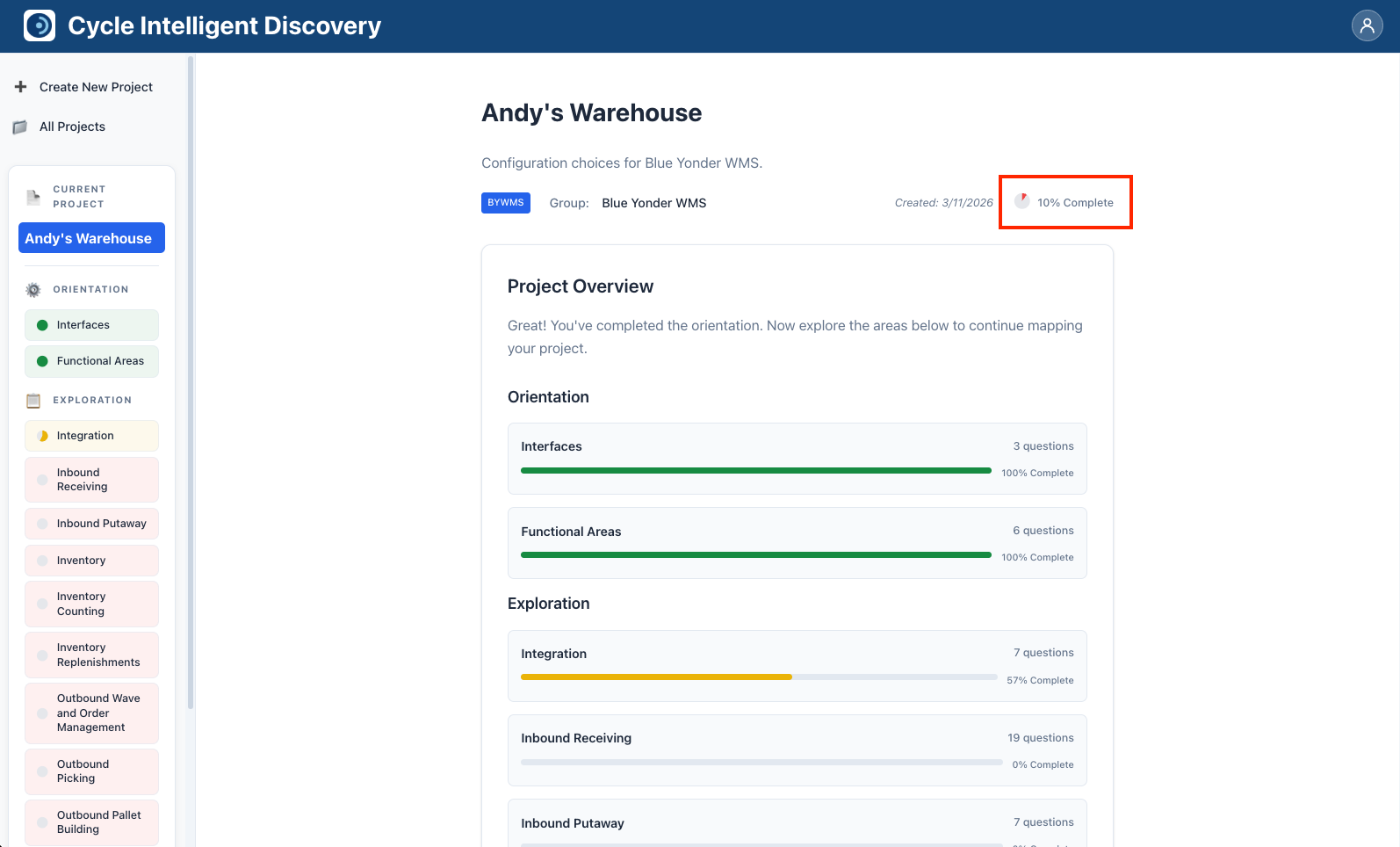
At the top of the project page, you'll see a circular progress indicator (pie chart) showing your overall project completion percentage. This percentage reflects how many applicable questions you've answered across all areas.
Area Completion
Each area displays its own completion percentage with a color-coded progress bar:
- Red (0-33%): Just getting started
- Yellow (34-66%): Making progress
- Light Green (67-99%): Almost complete
- Dark Green (100%): Fully complete
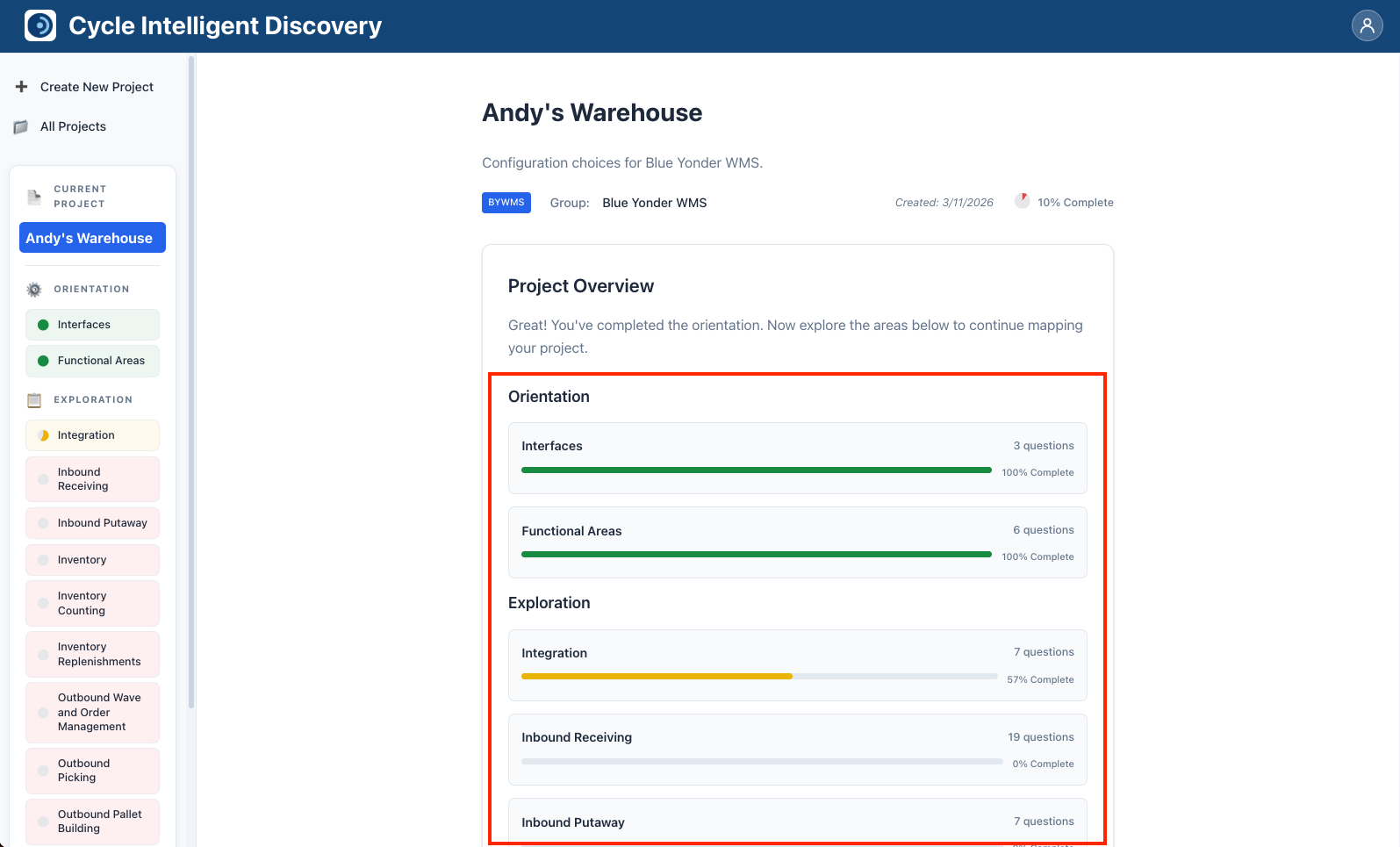
The completion percentage for each area is calculated based on the number of answered questions divided by the total number of applicable questions in that area.
Answer Suggestions
Some questions include suggested answers to help you get started faster. These suggestions appear when a question has a "likely" answer defined in the discovery map.
- Suggested answers are marked or highlighted to distinguish them from regular answer choices.
- You can accept the suggestion or choose a different answer.
- If you created your project with "Use suggested answers" enabled, these questions will already be pre-filled.
Below is an example:
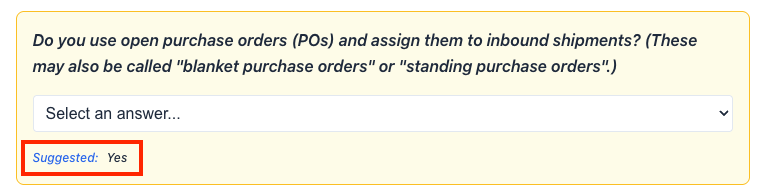
Review suggested answers carefully to ensure they match your actual system configuration. Suggested answers are based on common configurations but may not always be accurate for your specific setup.
Answer Dependencies
Intelligent Discovery uses answer dependencies to show you only relevant questions. Some questions and entire areas may only appear based on your previous answers.
How Dependencies Work
- When you answer a question, the application checks if any other questions or areas depend on that answer.
- Dependent questions appear automatically when their dependency conditions are met.
- If you change an answer and it no longer meets a dependency condition, dependent questions that were previously answered will be reset to unanswered.
Example: If you answer "No" to "Do users work with RF terminals?", questions specifically about RF terminal configurations won't appear. If you later change that answer to "Yes", those questions will appear, but any answers you previously provided (if they existed) will need to be provided again.
Area Dependencies
Entire exploration areas can also have dependencies. These areas only appear when the required orientation answers are provided.
Completing All Questions
When you've answered all applicable questions across all areas (both orientation and exploration), your project will reach 100% completion. At this point, Intelligent Discovery will generate your test plan, which you can download and use for testing your system configuration.