Capturing Images
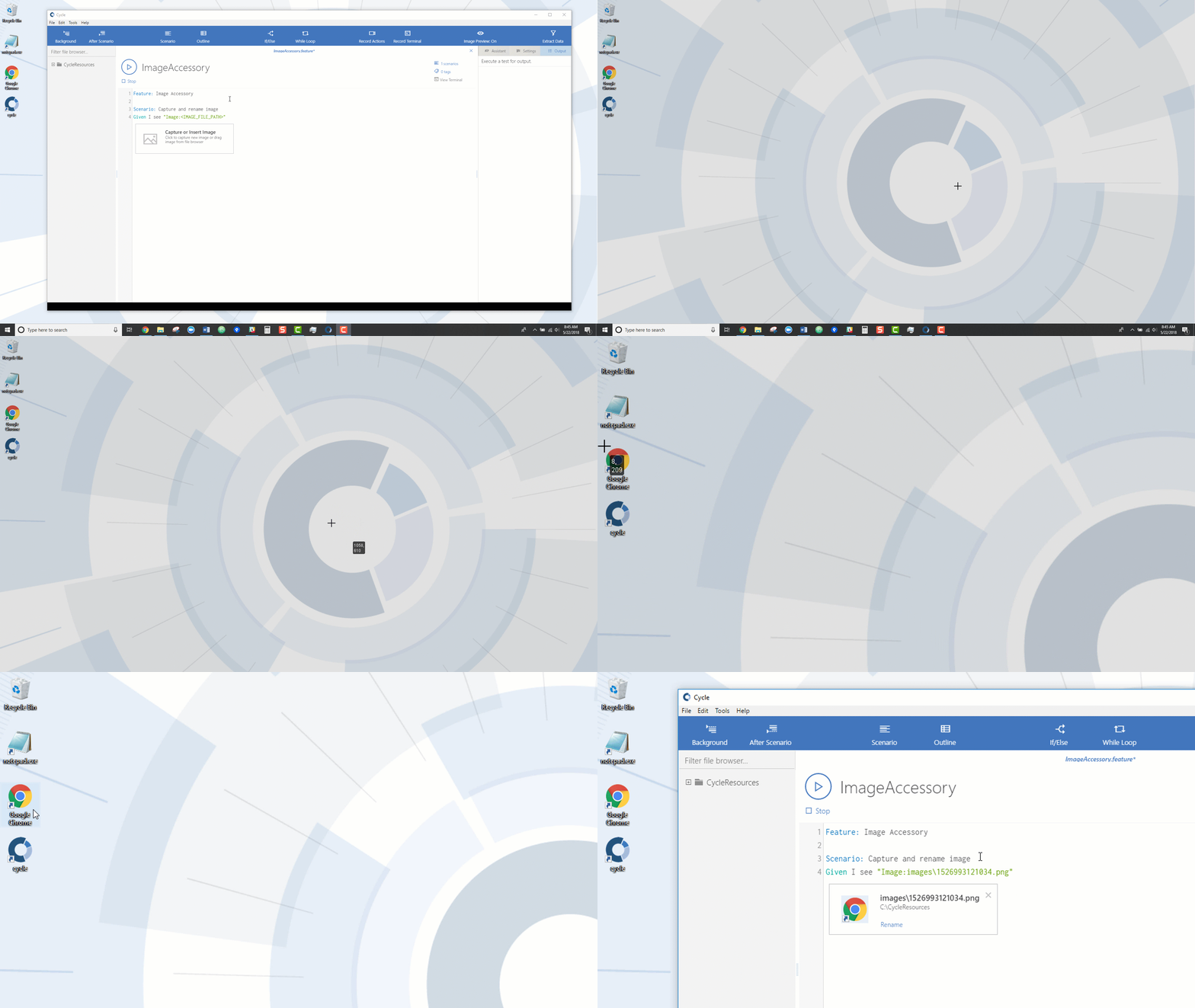
Cycle can capture images through its Image Accessory.
To capture an image with the Image Accessory tool, follow the steps below.
-
Write a Step that looks for an image, such as
Then I see "Image:<IMAGE_FILE_PATH>". -
Click the Image Preview On/Off button:


-
The Image Accessory appears below the image Step:

-
Click anywhere inside the empty Image Accessory tool to minimize Cycle and capture an image from your desktop. Image capture mode is indicated by the cursor changing to a crosshair: