Advanced Settings
Advanced settings holds a few specific settings associated with MOCA connections:
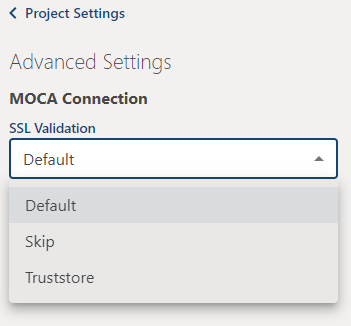
SSL Validation provides options for Default SSL validation, Skip SSL validation, or use a specified Truststore file.
- Default: Cycle will use the machine's default SSL validation to ensure valid remote endpoints for data transfers.
- Skip: Only applicable if neither Default SSL validation nor Truststore configuration are feasible options. This will result in an insecure connection to your endpoint.
- Truststore: This option is often necessary when an organization is using self-signed certificates (see note below).
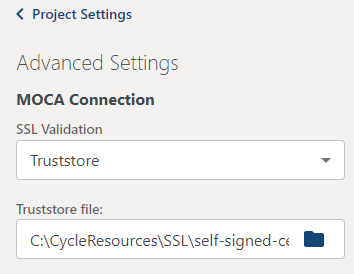
If Truststore is selected, the field to define the Truststore file path appears.
Self-signed certificates
If your organization has provided you with a self-signed SSL certificate for secure connections, you will need a tool such as keytool or KeyStore Explorer to create the .jks file to use in this Cycle setting.