Installing the Recorder
The Cycle Chrome Recorder is a Chrome extension. You need to download it from the Cycle Labs website and install it into your browser. Follow these steps to install the extension:
- Download the extension from cyclelabs.io/get-chrome-recorder. It will be a ZIP file.
- Extract the ZIP file on your machine into a new folder.
- Open the Chrome browser.
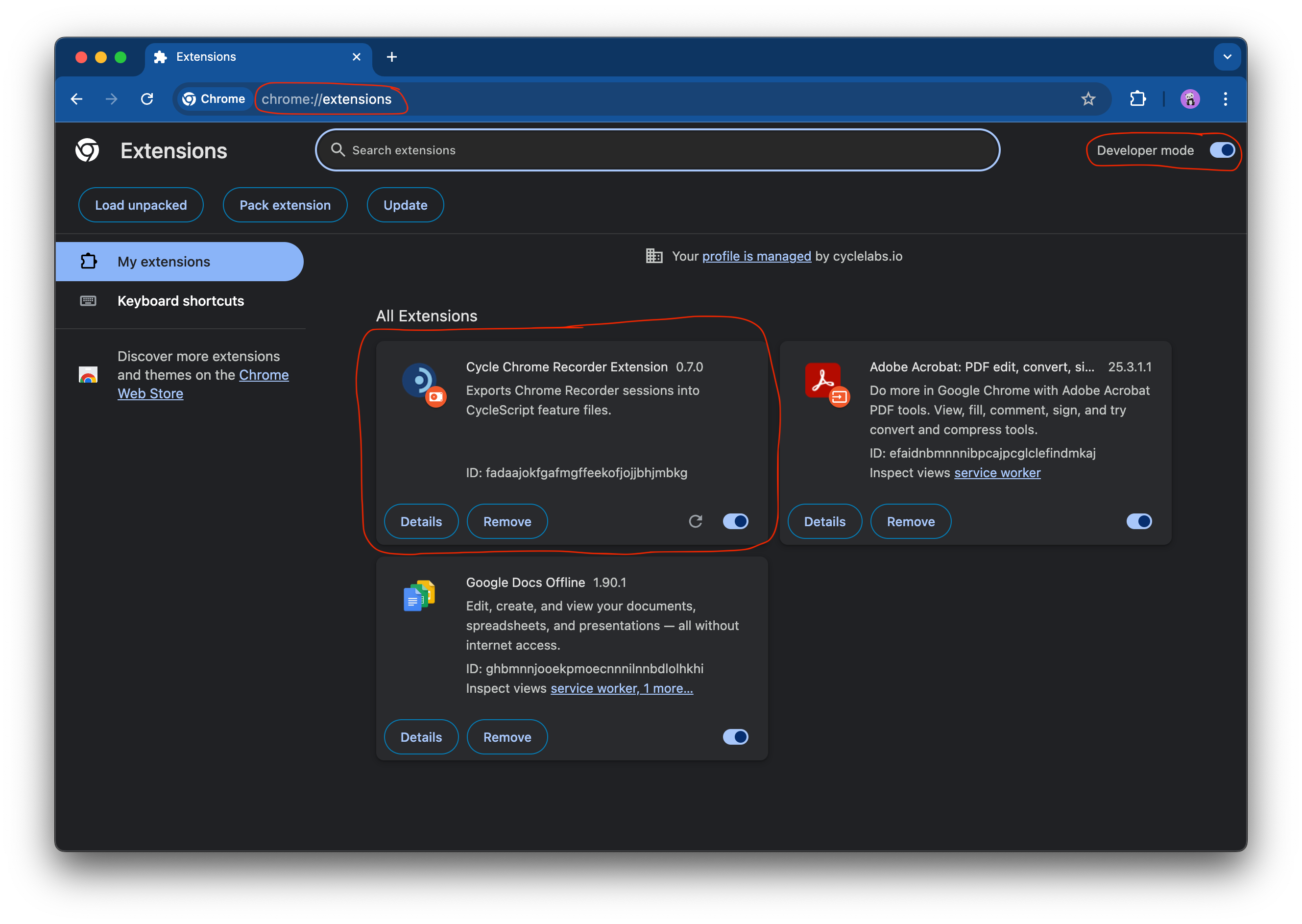
- Navigate to the Extensions page at
chrome://extensions. - Enable Developer mode in the upper-right corner of the Extensions page.
- Click Load unpacked, and select the unzipped folder.
Once installed, the Cycle Chrome Recorder extension should appear as one of the extensions on the page:
Chromium browsers
The extension works in any Chromium-based browser, including Microsoft Edge. Installation steps are similar for other browsers.