Cycle Settings
Although Cycle is designed to provide the best user experience with minimal configuration, some settings may still need to be tweaked for optimal execution in a given environment. Below is an explanation of some of the key settings.
There are three main types of settings that can be adjusted:
- Project-Level Settings - These settings affect Cycle's execution and are saved to a .cycproj file that can be shared as part of a Project.
- User Settings - These private project-level settings are for webdrivers, reporting, and known hosts. These settings are saved to a .cycuser file that should not be shared as part of a Project.
- Application Preferences - These private application-wide settings are for your license, Editor options, and proxy connection.
Project and User Settings
These settings are accessed from the Project Directory by clicking the settings button in the upper left side:
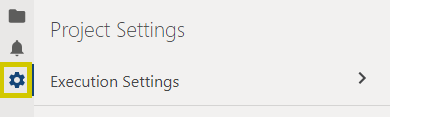
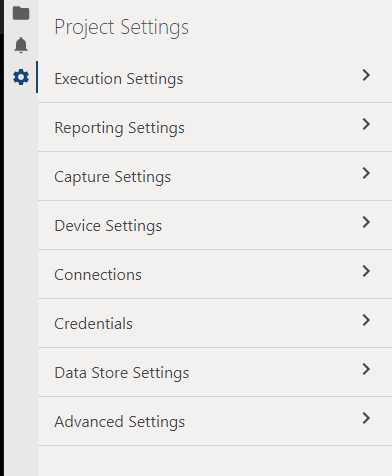
For additional information about individual project and user settings, please see the following pages:
- Execution Settings
- Reporting Settings
- Capture Settings
- Device Settings
- Connections
- Credentials
- Data Store Settings
- Advanced Settings
Application Preferences
Cycle's Application Preferences can be opened from the Edit > Preferences menu item or with the CTRL+, keyboard shortcut.